A spooky tale of overprovisioning with Amazon DynamoDB and Redis
A weekly broadcast forced 90-node Redis clusters in every region, turning idle capacity and scaling work into a lasting cloud-cost problem.
 Chris Price
Halloween is around the corner, so buckle up for a spooky engineering ghost story—with an AWS bill as the monster.
A few years before this post was published in 2022, I worked as a software engineer at a large company building a video streaming service. Our first customer was a major professional sports league that planned to use the service to livestream its games once a week to millions of viewers. The opportunity was exciting and terrifying.
When we signed on to the project, our service didn’t exist yet. The league’s broadcast schedule certainly did. 🙂 The launch date was rock solid, and the service had to handle all the traffic sent to us.
Was this where the scary part began? Nope. We had a fantastic engineering team and an architecture we believed in. The schedule was tight, but we were confident we could hit the launch date.
A few weeks before the first broadcast, we felt good. The service was built apart from some finishing touches, and the team was load-testing it for game-time traffic. Everything was business as usual.
Then we received our first realistic sample dataset from the customer. Adding it to our load test pushed us far beyond the maximum DynamoDB read and write capacity we had configured, and DynamoDB throttled our requests. Our service failed. Hard.
The failure taught us a painful lesson: solving for peak load can leave a team paying for idle infrastructure, while escaping that cost can demand more engineering than the savings justify.
This story reflects the service options, configurations, and pricing models available to our team at the time.
A 10x data surprise starts the scare

Only a few weeks remained before our first broadcast, and we had a major problem. Our architecture stored data for each viewer so we could track their position in the stream. We had put that data in DynamoDB.
After examining the broadcaster’s traffic, we discovered that each viewer’s payload might be up to 10x larger than we had estimated. That meant 10x the input/output operations per second (IOPS) on DynamoDB—and 10x the cost.
Our workload was write-heavy. Some napkin math based on the observed 10x increase made it clear that keeping the ephemeral data in DynamoDB would put us far over budget. We decided to move it into a cache and chose a managed Redis service.
The service handled provisioning and operating the individual nodes. We still had to determine how many cluster nodes we needed and how large they should be.
We wrote code to simulate the cluster load and ran it over and over. We tested different node sizes, cluster sizes, and replication configurations. We tested. A lot.
We hadn’t accounted for that work in our engineering plans. Writing synthetic load tests, experimenting with cache node types and sizes, and monitoring the test runs all took time. None of it was unique to our business, but it still pulled engineers away from the service we were trying to build.
After one week, we had settled on the cluster size and configuration. After another, we had migrated that part of our code from DynamoDB to Redis. The service was running again.
The launch survives—and the bill arrives

We did it. The first broadcast went smoothly, and viewers had a good experience. As we observed the service in production, we found improvements and rolled them out over the following weeks. Before we knew it, the season was well underway.
Then, about a month into the season, we received our AWS bill. It was huge. What had happened?
We had expected DynamoDB to account for the largest share of the bill, and we had estimated that expense from our capacity limits. The surprise came from our Redis clusters.
In retrospect, the cost was predictable. We had been so focused on meeting the launch deadline that we hadn’t done the full math. To serve peak game traffic, we needed 90-node clusters in every region where we broadcast. Each node also needed enough RAM to hold the data, which required large instance types.
Idle capacity becomes the real monster
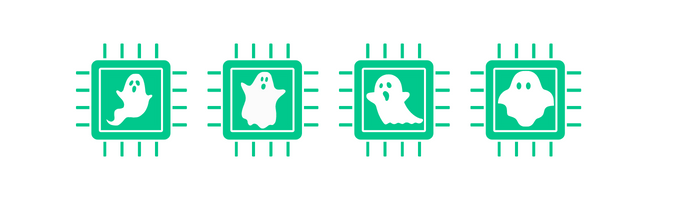
Those memory-heavy instances also came with many virtual CPUs (vCPUs). In our configuration, Redis processed commands on a single thread, so it could use only one vCPU on each node for that work. The remaining vCPUs sat almost entirely idle.
We were paying for 16-vCPU instances that would use only about 6% of their available CPU. That still wasn’t the worst part.
Traffic during each game dwarfed traffic at every other time. We paid for the clusters 24 hours a day, seven days a week, even though they were effectively at 0% utilization outside the weekly 3-hour broadcast window. When the season ended, we had no broadcasts for 6 months. The clusters then sat at approximately 0% utilization around the clock.
Problem identified. All we had to do was fix it and bring our cloud bill under control.
Scaling becomes an engineering project

Fixing our Redis spend was much easier said than done. The managed service and client architecture we used didn’t give us an easy, safe way to scale the clusters up and down. Our Redis clients handled key sharding, so they needed to know the available servers. Scaling in or out risked reducing the cache hit rate during the transition and required careful management.
The problem was solvable, but one approach would have required us to:
- update the application to write to two clusters during each scaling event;
- make reads fall back to the old cluster after a miss in the new cluster;
- bring a second, smaller cluster online alongside the peak-sized cluster;
- monitor the new code and decide when it was safe to tear down the old cluster; and
- monitor that teardown to make sure it completed smoothly.
Our team was capable of doing this twice a week: once to scale up before the broadcast and again to scale down afterward. It would also have been a lot of work. We had to compare the cost of that engineering time with the cost of the overprovisioned clusters.
Then there was the opportunity cost. Cluster scaling created no unique business value for us. We had a limited number of engineers, and every hour spent on scaling was an hour they couldn’t spend on customer-facing work.
You can probably guess where we landed. We never felt we could justify the engineering cost when the team had more valuable projects that could move the business forward and win customers.
So we kept paying for something we weren’t using.
If the business had struggled, we might eventually have had to divert engineers to reduce that spend. I found that possibility alarming: getting a bill that reflected our actual use required so much work that we could make time for it only in a desperate situation.
That pricing model worked well for the service provider. It didn’t work well for us.
The lesson: pay for use, not idle capacity

This experience helped inspire us to build Momento’s serverless cache. The model described when this post first appeared in 2022 priced usage by the bytes sent to and received from the cache. A 3-hour traffic spike shouldn’t cost more simply because the same traffic was concentrated instead of spread across a week or month.
That serverless model also put capacity changes on us. When traffic increased, we handled the added demand. When it decreased, customers didn’t keep paying the peak rate. They didn’t need to pay for 15 idle CPU cores on each cluster node simply because the workload needed more RAM.
The broader lesson applies beyond one cache: model the full duty cycle, not only peak performance. Then include the engineering cost of changing capacity in the architecture decision. Idle infrastructure and the team required to manage it both appear on the bill.
Read the Momento Cache getting-started guide to try the serverless service.
Happy Halloween! 👻